A clearer view of your vending business. Meet VendBI
VendBI
Menu

PRACTICAL TOOLS. PURPOSEFUL INSIGHT.

Start with the work
you need to do.

Your daily decisions shape the demo. Explore the workflows below and ask which capabilities are available for your specific setup.

01 /

Sales & transaction insight

Review the sales report view, with daily and monthly reporting controls, totals and payment breakdowns.

Confirm in your demo

The published screen shows reporting examples. Confirm available fields, exports and update frequency for your setup.
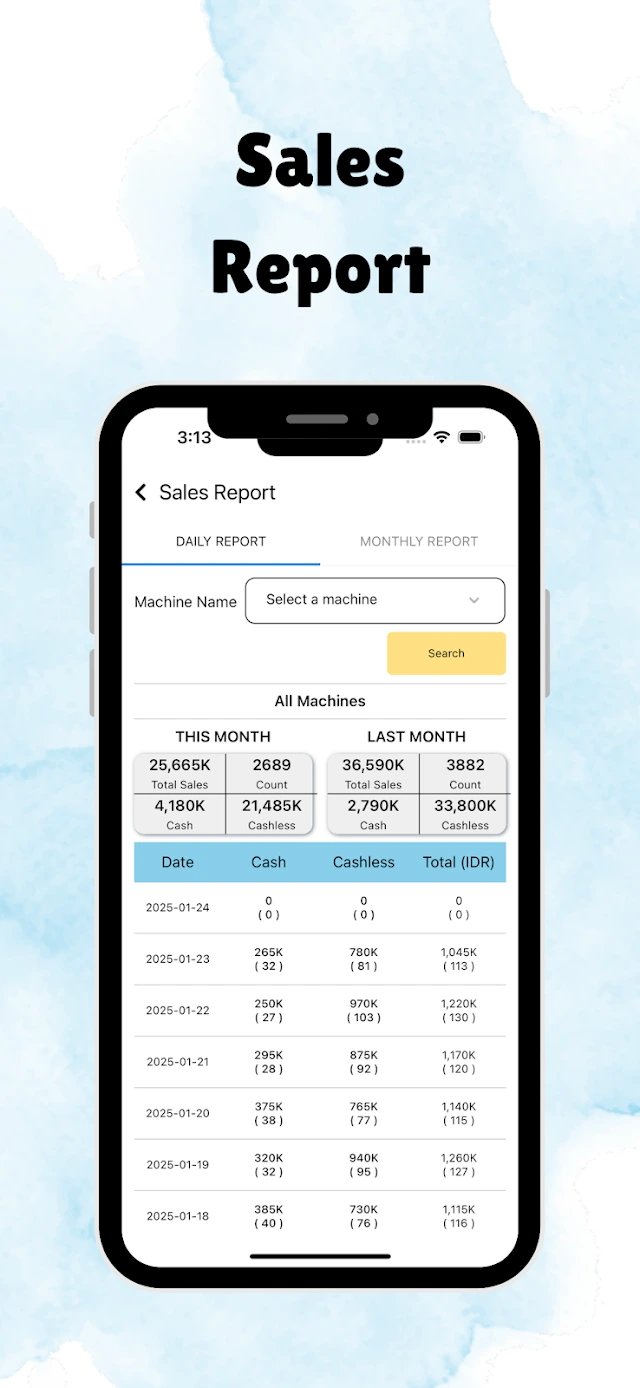
VendBI sales reports: Daily and monthly reporting controls, sales totals and payment breakdowns.
From the Google Play listing ↗
02 /

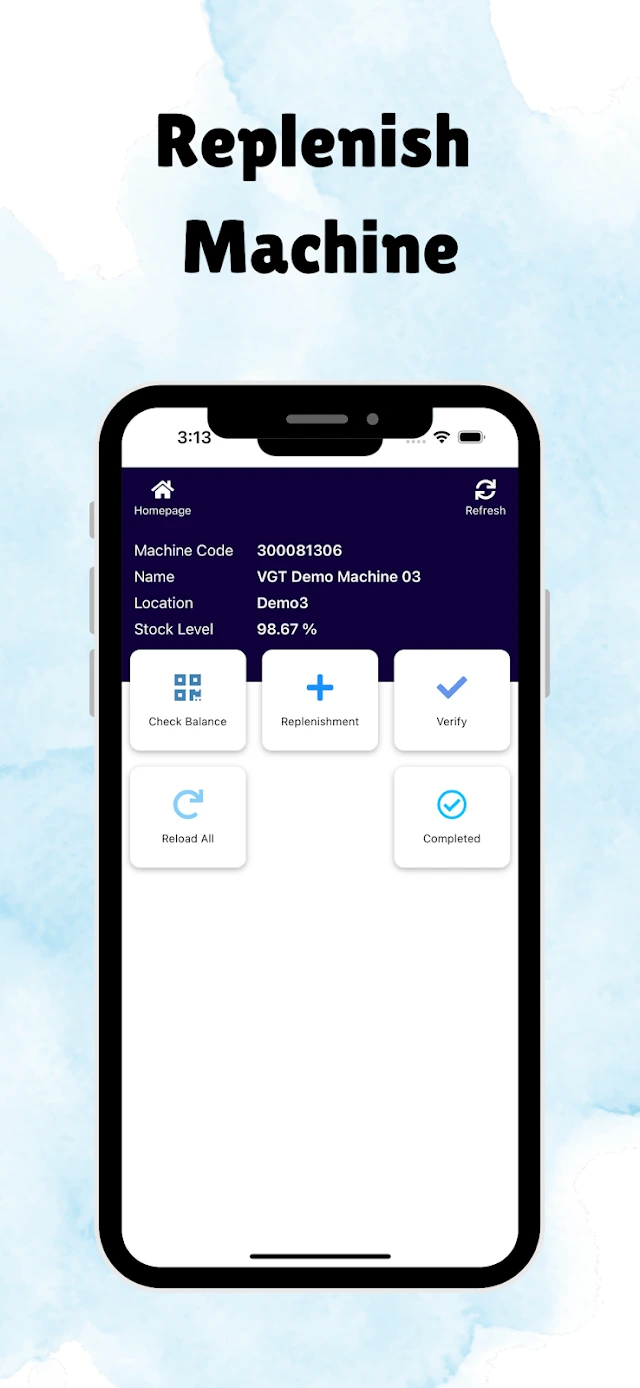
Inventory & replenishment

See machine stock information and the replenishment actions shown in the VendBI app.

Confirm in your demo

Confirm supported stock fields, replenishment steps and update timing for your machine model.

VendBI replenish machine: Machine stock level and replenishment actions in the published app view.
From the Google Play listing ↗
03 /

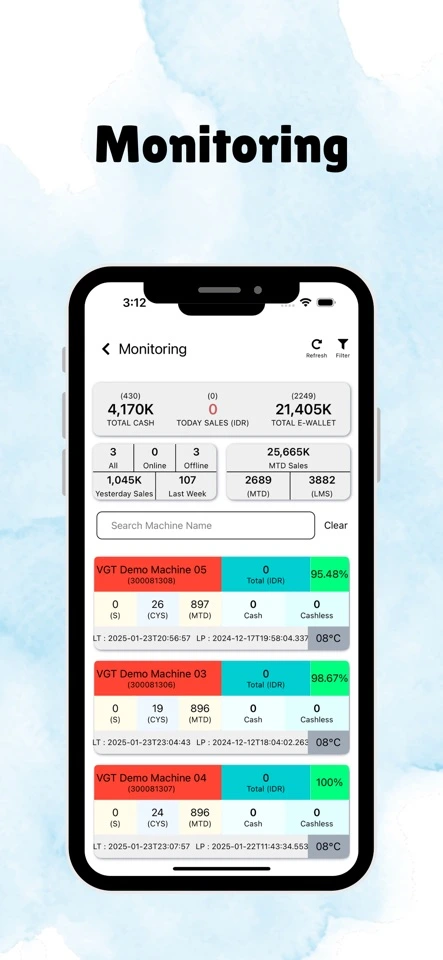
Machine monitoring

Review a machine list with stock levels and sales information from your phone.

Confirm in your demo

The listing demonstrates the monitoring view. Machine telemetry and reporting frequency depend on supported equipment and connectivity.

VendBI machine monitoring: A list of machines with stock and sales information.
From the App Store listing ↗
04 /

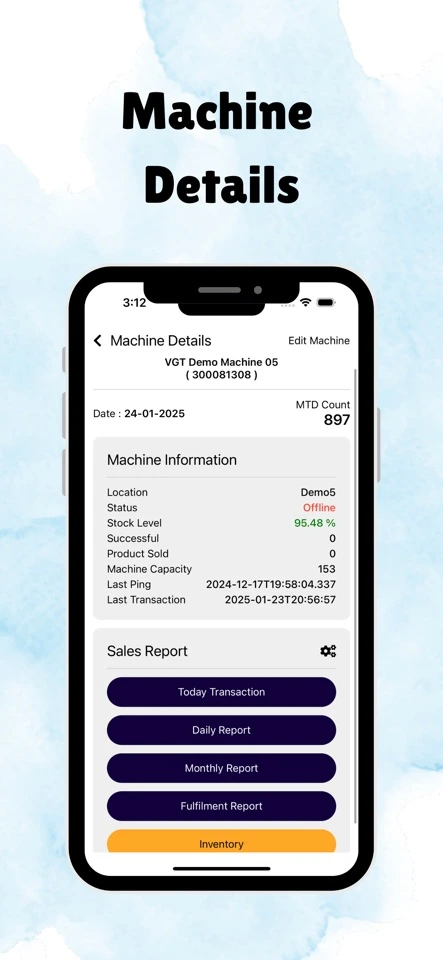
Machine details

Open a machine view with operating information and links to reports and inventory.

Confirm in your demo

Available machine fields and actions depend on your model, controller and software setup.

VendBI machine details: Machine information and links to reports and inventory.
From the App Store listing ↗
05 /

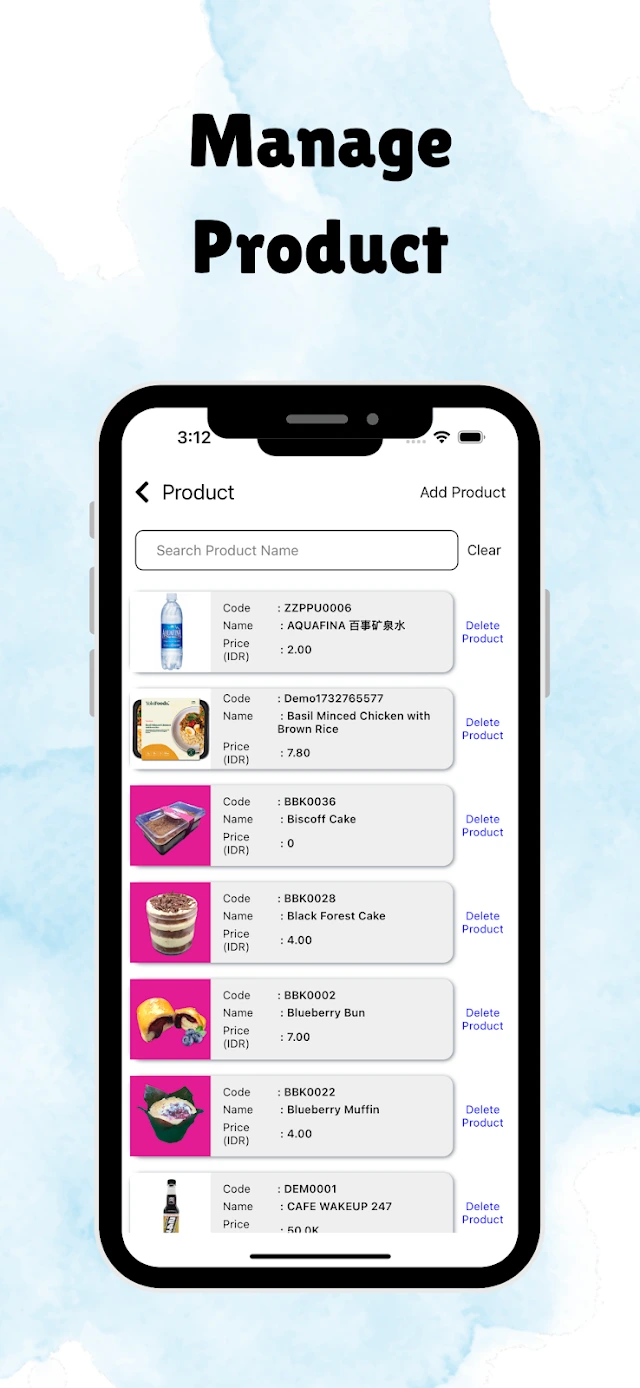
Product management

Explore the published product list, including product names, prices and product actions.

Confirm in your demo

Confirm which product-management actions are supported for your machines during onboarding.

VendBI product management: A product list showing names, prices and product actions.
From the Google Play listing ↗
06 /

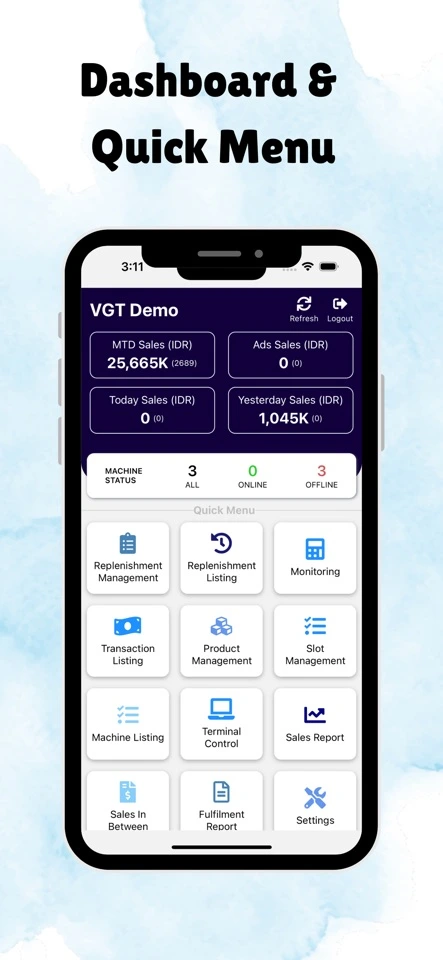
Dashboard & quick menu

Start from the dashboard to review the figures shown and reach operational tools through the quick menu.

Confirm in your demo

The published dashboard contains example figures. Access, available modules and account scope are confirmed for your deployment.

VendBI dashboard & quick menu: Sales totals, machine status and shortcuts to operational tools.
From the App Store listing ↗

LET’S TALK POSSIBILITIES

Your next chapter starts with a clearer view.

Tell us about your vending business. Let’s explore the right setup together.

Book a Demo